• Greetings, Devil Dog! Welcome to the Call of Duty Forums. It looks like you're looking forward to Call of Duty: Modern Warfare 4, but haven't created an account yet. Why not take a minute to register for your own free account now? As a member you get free access to all of our forums and posts plus the ability to post your own messages, communicate directly with other members and much more.

how about a dram conversation

freakdaddy64

Recruit
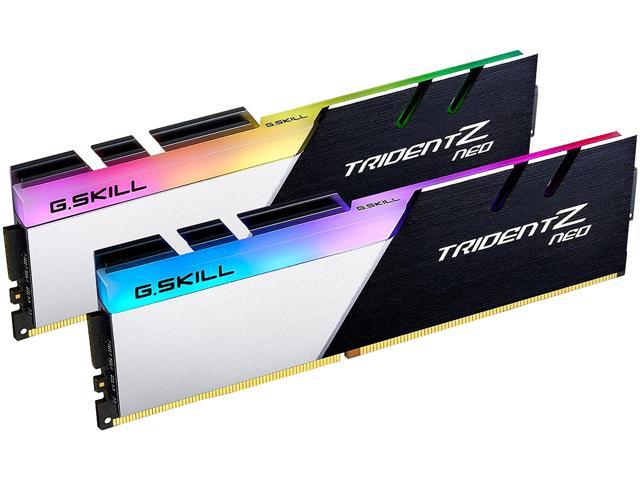
whats best 2 sticks of ram or 4 and why. im running 4 8 gig sticks, some say it would be better to run 2 16 gig sticks.
 
Generally speaking I have not seen too much difference. More depends on dual channel or quad channel.. There is more to this discussion and there are forums out there that do nothing but debate the pros and cons. I use 2 sticks with the ram count of what I want ie 16gig 32 gig or whatever. Usually I have always built systems sticking to 2 sticks.
 
To most users there is little difference between 2 and 4 sticks, but it does make a difference to hardcore overclockers. There is a bigger workload on the memory controller when you're running with 4 sticks, and some claim that the extra workload leads to stability issues and reduces the total throughput speeds that they might achieve with 2 sticks.
 
In theory yes, but we are talking extremely trivial differences until you start extreme overclocking, when you get to the point that you want to cool your CPU with liquid nitrogen, you'll also get to the point where the number of RAM sticks really matters.

Check out this
to learn more about overclocking with liquid nitrogen. It's a 5-minute video from 2017.
 
no overclocking for me.
Sorry, I was away for 2 weeks on holidays for the last 2 weeks, not that you would be able to tell from my recent activity.

For selecting RAM for a Ryzen 5000 series CPU you have to match 3 elements for optimal performance.
FCLK: is for infinity fabric clock speed
UCLK: is for the unified memory controller speed
MEMCLK: is the memory clock speed

Ideally these should match 1:1:1 and DDR4-3200 is the recommended speed on the 5000 series CPUs, the 3000 series had a higher recommended speed of DDR4-3600, adjusting these ratios when overclocking introduces latency, so while the transfer speeds might increase, the resulting in delays in the initial seeking, fetching or writing times, it's a bit like having a faster higher speed but sacrificing acceleration speeds in order to achieve it.

3200 is the base rate, but 3600 is the sweet spot, and while memory speeds can make a difference, higher speeds come with higher CL values, CL14 at DDR4-3600 is faster than CL15 at DDR4-3600, but the CL14 would cost more.

Tom's Hardware ran some tests (which is where I got the info in this post) and they said that 4 sticks of single rank (RAM chips on 1 side of circuit board) or 2 sticks of dual rank (RAM chips on both sides of the circuit board) will get the best overall performance for everyday use. 2 sticks of dual rank is the more affordable option.

Here is the original article.

I'm sure you would find a similar article on Intel CPUs, should you be curious about the differences.
 
You went on holidays without checking with us first??? Worse, we weren't invited!!!

Hope you had a great time!!
It was an amazing holiday; it was great to get away with the family and just let go of all the daily stresses for a couple of weeks.

Had I invited you all, my wife would have got quite bored of the gaming and PC chat, and I don't want to be upsetting the boss during our holiday now, do I??
 
i went from 4 sticks to 2. i just put this in, cas 16 instead of 14
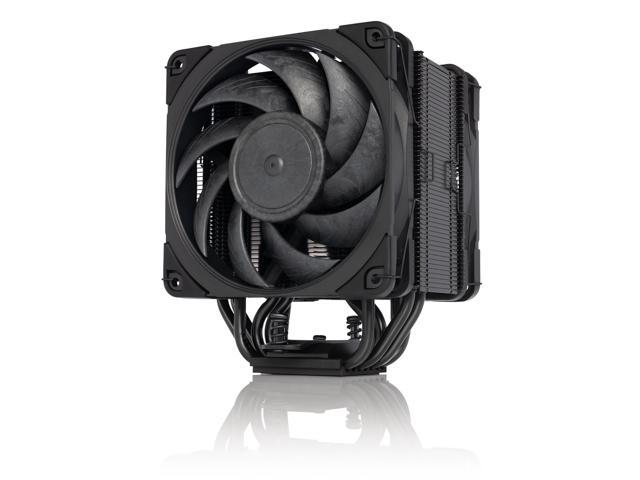
and i installed a noctua air cooler because the cam software was not reconizing the aio pump and i couldnt control it so it on the way back to nzxt for rma. air cooler doing good job.

 
It was an amazing holiday; it was great to get away with the family and just let go of all the daily stresses for a couple of weeks.

Had I invited you all, my wife would have got quite bored of the gaming and PC chat, and I don't want to be upsetting the boss during our holiday now, do I??


Word.... :D

The boss knows where you sleep.. ALWAYS a good idea to keep her happy.. :D
 
i went from 4 sticks to 2. i just put this in, cas 16 instead of 14
and i installed a noctua air cooler because the cam software was not reconizing the aio pump and i couldnt control it so it on the way back to nzxt for rma. air cooler doing good job.
I think I would have stuck with the CAS 14, though depending on the game you will most likely only see drops of up to 2 frames per second, again, it's more to do with how you intend to use the overall system, and again, overclocking is the thing that will truly the show the differences between them.

The Noctua NH-U12A coolers are great, the NH-D15 are even better, but you can't go wrong with either, the U12A is less likely to cause RAM clearance issue and D15 is a bit louder, but it does offer the option to add a 3rd fan at the back, if you have the space available.

and i noticed with a cas 14 the voltage is 1.45 and 16 is 1.35.
More volts are required to drive that extra performance.

Word.... :D

The boss knows where you sleep.. ALWAYS a good idea to keep her happy.. :D
If she wants me to keep her happy, she won't want me to be asleep. ;)
 
with the cas 16 2 sticks the temps dropped some. i went to 2 sticks because after my research i learned that the cpu does not have to work as hard running 2 instead of 4. most prefer 2. and once in awhile my display was going out and the dram light on motherboard would come on. then i decided to update mobo bios and thats when temps went higher. i was seeing 87 and 90 c in game and now it gets up to maybe 75 or 77 and i would like to know what changed after bios update to make temps rise. i dont think i have ever seen my temps go over 65 while gaming. if nzxt sends me new aio i may put that back in as front intake and blast the cpu with as much fresh air as possible. right now my temps are stable so its all good.
 
In older generation PCs the memory controller used to be on the mobo in the Northbridge. Moving this into the actual chip reduces latency by putting the CPU in control of all input and output operations, rather than sending everything around the mobo first.

I agree with your research findings, 4 sticks of RAM would mean that the memory controller has more work to do.

I can't explain what has happened to cause a massive temperature increase since your BIOS update, you would need to look at the release notes to see what changes were made. It does look like the BIOS has unlocked some features, such as temperature curve controls, which were previously not available on 5800X3D chips, so check your curves first.

Also, did you upgrade your BIOS before or after your cooler swap, just want to make sure you have considered it might have nothing to do with the BIOS and everything to do with the lump of metal on top.

Did you update all of your mobo and chipset drivers following the BIOS update, old drivers and new BIOS might mean your BIOS is not being allowed to operate as expected.
 
did bios while aio was still mounted, the 5800x3d has a reputation for running hotter and i think one reason is it runs at an higher wattage. but with previous bios there was no temp issue at all, and right now they ok but definatly higher then before. and there is a chipset update that i tried but it shows still available after i update so i will try that again. ive heard of going back to previous version of bios but not sure about it.
 

Like CODForums!

Advertisements

Back
Top