Greetings, Devil Dog! Welcome to the Call of Duty Forums. It looks like you're looking forward to Call of Duty: Modern Warfare 4, but haven't created an account yet. Why not take a minute to
 Hello all, new to the forum thought id register as i cant figure this issue i am having out. Since season 2 has hit my game is starting to crash alot. Happend on the first day it came out, on for a win in warzone actually and crashed before the end.
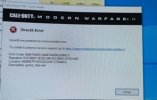
Since then i cant complete a match at all in either MP or Warzone. I decided to totally reinstall windows 10 pro update everything and re download the game also. I seem to get direct X error ( game_ship.exe ) mainly but i have seen another error but ive forgotten what that said in frustration really.
I have followed pretty much everything i can think of to get this to work, all the known youtube guides and general posts you see. Also tried to play it on another direct x version to no success also which you can change via battle net.
System specs if needed are.
Cpu: 7950x Ram: 32 gig 6000mhz Gpu: Nvidia 3070 MB: Asus x670e Plus
Graphics drivers ive ran many different versions, and right now i am on 528.02 which i heard was stable. Direct X up to date, bios on the latest version.
This has be stumped really, some what stable before this season two update and now this ha. Any help would be most welcome.
Since then i cant complete a match at all in either MP or Warzone. I decided to totally reinstall windows 10 pro update everything and re download the game also. I seem to get direct X error ( game_ship.exe ) mainly but i have seen another error but ive forgotten what that said in frustration really.
I have followed pretty much everything i can think of to get this to work, all the known youtube guides and general posts you see. Also tried to play it on another direct x version to no success also which you can change via battle net.
System specs if needed are.
Cpu: 7950x Ram: 32 gig 6000mhz Gpu: Nvidia 3070 MB: Asus x670e Plus
Graphics drivers ive ran many different versions, and right now i am on 528.02 which i heard was stable. Direct X up to date, bios on the latest version.
This has be stumped really, some what stable before this season two update and now this ha. Any help would be most welcome.